Contents
- Common English Mistakes IT Professionals Make (And How to Fix Them)
- 1. Using Direct Translation from Native Language
- 2. Confusing Present Simple and Present Continuous
- 3. Overusing “Will” for Future Plans
- 4. Incorrect Use of Articles (a, an, the)
- 5. Saying “Discuss About”
- 6. Misusing “Actually”
- 7. Using “Revert” Incorrectly
- 8. Long and Complicated Sentences
- 9. Mixing Up “Few” and “A Few”
- 10. Using Informal Language in Professional Context
- 11. Confusing “Since” and “For”
- 12. Overusing Technical Jargon in Meetings
- 13. Weak Email Openings and Closings
- 14. Pronunciation Problems That Affect Clarity
- 15. Saying “Do One Thing”
- 16. Using “Only” Incorrectly
- 17. Being Too Direct in Requests
- 18. Not Asking for Clarification
- 19. Overusing Passive Voice
- 20. Lack of Confidence in Speaking
- Practical Strategies to Improve
- Final Thoughts
- FAQs (Frequently Asked Questions)
- What are the most common English mistakes IT professionals make?
- Why do IT professionals struggle with articles (a, an, the)?
- Is it okay to use simple English at work?
- How can I sound more polite without being indirect?
- What is wrong with saying “Please revert” or “Please revert back”?
- How do I choose between “I will,” “I’m going to,” and “I’m doing” for future actions?
- How can I improve English for stand-ups and daily meetings?
- What are good email phrases for IT work?
- How can I reduce misunderstandings when writing tickets or documentation?
- Do I need perfect pronunciation to be taken seriously?
- What is the fastest way to improve my professional English?
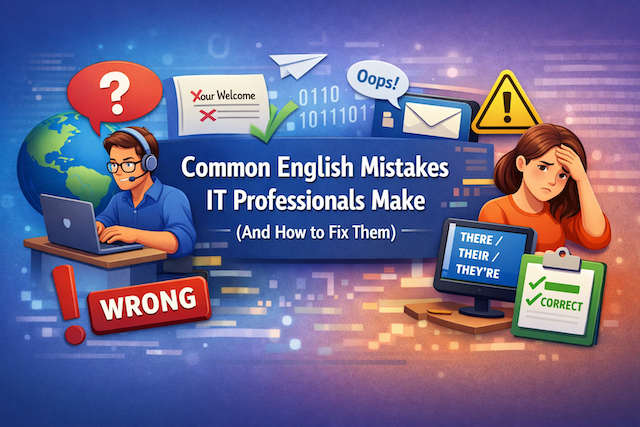
Common English Mistakes IT Professionals Make (And How to Fix Them)
In the global IT industry, English is more than just a language — it’s the default operating system of communication. From writing documentation and sending emails to participating in stand-ups and presenting solutions to international clients, English plays a central role in daily work.
However, even highly skilled engineers, developers, and IT managers often make small but impactful English mistakes. These errors usually do not reflect technical ability — but they can affect clarity, professionalism, and confidence.
This guide explores the most common English mistakes IT professionals make and explains how to fix them with practical examples.
1. Using Direct Translation from Native Language
One of the most common mistakes is translating sentences directly from your native language into English. This often results in unnatural phrasing.
Example:
❌ “I will explain about this system.”
✅ “I will explain this system.”
In English, “explain” does not require “about.”
Another example:
❌ “Please confirm me.”
✅ “Please confirm.”
✅ “Please confirm with me.”
Direct translation may sound grammatically correct in your language, but English structure is often different.
How to Fix It:
-
Read native English documentation regularly.
-
Use tools like Grammarly or ChatGPT to check natural phrasing.
-
Learn common verb patterns (explain something, discuss something, describe something).
2. Confusing Present Simple and Present Continuous
IT professionals often mix up verb tenses, especially when talking about current work.
Example:
❌ “I work on this feature now.”
✅ “I am working on this feature now.”
Use present continuous (am/is/are + verb-ing) for actions happening right now.
Another example:
❌ “We testing the system.”
✅ “We are testing the system.”
Quick Rule:
-
Present simple → routine or general facts
“I work as a backend developer.” -
Present continuous → happening now
“I am fixing a bug.”
Clear tense usage makes your communication more professional.
3. Overusing “Will” for Future Plans
Many IT professionals use “will” for every future situation.
Example:
❌ “I will call you at 3 PM.” (when already scheduled)
✅ “I’m calling you at 3 PM.”
✅ “I’ll call you at 3 PM.” (spontaneous decision)
Use:
-
“Going to” → planned decision
-
Present continuous → scheduled arrangement
-
“Will” → instant decision or promise
Understanding subtle differences improves fluency.
4. Incorrect Use of Articles (a, an, the)
Articles are one of the most difficult parts of English.
Example:
❌ “We deployed new version.”
✅ “We deployed a new version.”
❌ “Server is down.”
✅ “The server is down.” (specific server)
Basic Rules:
-
Use “a/an” for something not specific
-
Use “the” for something specific or already known
Example:
“We need a server.” (any server)
“The server is not responding.” (a specific server)
5. Saying “Discuss About”
This is extremely common in meetings.
❌ “Let’s discuss about the issue.”
✅ “Let’s discuss the issue.”
“Discuss” does not need “about.”
The same applies to:
-
“Explain about” → explain
-
“Request for” → request
-
“Enter into” → enter
Remove unnecessary prepositions.
6. Misusing “Actually”
Many non-native speakers use “actually” to mean “currently.”
❌ “Actually, I am working on a new project.” (meaning: now)
Correct meaning of “actually” = in fact / surprisingly
Example:
“I thought the bug was in the frontend, but actually it was in the API.”
If you mean “now,” say:
-
“Currently”
-
“Right now”
-
“At the moment”
7. Using “Revert” Incorrectly
In Indian IT English especially, “revert” is often used incorrectly.
❌ “Please revert back.”
❌ “I will revert you.”
Correct usage:
-
“Please reply.”
-
“I will get back to you.”
-
“Please respond.”
“Revert” means return to a previous state — not reply.
8. Long and Complicated Sentences
IT professionals often write emails like documentation — long and overloaded.
❌ “Regarding the issue which we discussed in the previous meeting and which was related to the API timeout problem that occurred last week, we have implemented the solution.”
Too long.
Better:
✅ “Regarding the API timeout issue we discussed last week, we have implemented a solution.”
Keep sentences concise. Clear communication is more important than complex vocabulary.
9. Mixing Up “Few” and “A Few”
This mistake changes the meaning completely.
-
“Few” = almost none (negative feeling)
-
“A few” = some (positive)
Example:
“We have few options.” (not good)
“We have a few options.” (good)
In project discussions, this small difference matters.
10. Using Informal Language in Professional Context
IT culture is often casual, but communication with clients or managers should remain professional.
❌ “Hey bro, I fixed the stuff.”
✅ “Hi, I’ve resolved the issue.”
❌ “ASAP pls.”
✅ “Could you please prioritize this?”
Tone matters. Professional language builds trust.
11. Confusing “Since” and “For”
Common in status updates.
❌ “I am working here since 2022.”
✅ “I have been working here since 2022.”
Use present perfect continuous for ongoing actions.
-
Since → starting point
-
For → duration
“I have been working here for three years.”
12. Overusing Technical Jargon in Meetings
Sometimes the mistake is not grammar — it’s clarity.
Example:
“Latency spikes due to asynchronous microservice interaction with unstable container orchestration.”
Instead, adjust for your audience:
“We’re experiencing delays because one of our services is unstable.”
Adapt your English to your listener.
13. Weak Email Openings and Closings
Many IT emails start too abruptly.
❌ “Send me logs.”
Better:
✅ “Could you please send the logs when you have a moment?”
Common professional phrases:
-
“I hope you’re doing well.”
-
“Please let me know if you need clarification.”
-
“Looking forward to your response.”
Politeness increases collaboration.
14. Pronunciation Problems That Affect Clarity
Even strong English speakers may struggle with pronunciation of technical terms:
-
Cache (cash, not “ka-shay”)
-
Queue (kyoo)
-
Linux (LIN-uks, not lie-nux in some contexts)
-
Data (day-ta or da-ta — consistency matters)
Improving pronunciation increases confidence in meetings.
Practice by:
-
Watching technical talks on YouTube
-
Repeating phrases aloud
-
Recording yourself
15. Saying “Do One Thing”
Common in South Asian English:
❌ “Do one thing, restart the server.”
Better:
✅ “Let’s try restarting the server.”
✅ “Could you restart the server?”
Use collaborative phrasing.
16. Using “Only” Incorrectly
Word placement changes meaning.
❌ “I sent the file yesterday only.”
✅ “I sent the file yesterday.”
“Only” should be placed carefully:
“I only tested the frontend.” (nothing else)
“I tested only the frontend.” (not backend)
17. Being Too Direct in Requests
Directness may sound rude in English professional settings.
❌ “Give me access.”
✅ “Could you please grant me access?”
Use modal verbs:
-
Could
-
Would
-
May
They soften your request.
18. Not Asking for Clarification
Many IT professionals pretend to understand in meetings.
Instead, say:
-
“Could you clarify that?”
-
“Just to confirm, do you mean…?”
-
“Let me repeat to make sure I understood.”
This shows professionalism — not weakness.
19. Overusing Passive Voice
Passive voice is common in technical writing but can weaken communication.
❌ “The issue was fixed.”
Better:
✅ “We fixed the issue.”
Active voice is clearer and more confident.
20. Lack of Confidence in Speaking
The biggest mistake is not grammar — it’s hesitation.
Many IT professionals:
-
Know English well
-
Understand everything
-
But feel nervous speaking
Fluency comes from use, not perfection.
Mistakes are normal. Clear communication matters more than perfect grammar.
Practical Strategies to Improve
Here are practical steps IT professionals can follow:
1. Read High-Quality Technical Blogs
Observe how native writers structure sentences.
2. Write Daily
Summarize your work in English every day.
3. Practice Speaking
Join stand-up meetings actively.
4. Use AI Tools Wisely
Use AI to refine, not replace your thinking.
5. Focus on Clarity
Simple English is powerful English.
Final Thoughts
In IT, your technical skills may get you hired — but your communication skills help you grow.
Most English mistakes IT professionals make are small, repetitive, and easy to fix once you notice them. Improving your English does not require becoming a native speaker. It requires awareness, practice, and consistency.
Clear English leads to:
-
Better teamwork
-
Fewer misunderstandings
-
More leadership opportunities
-
Stronger global career growth
Remember: Good English is not about using difficult words. It’s about making your ideas easy to understand.
And in the world of IT — clarity is everything.
FAQs (Frequently Asked Questions)
What are the most common English mistakes IT professionals make?
The most common mistakes usually fall into a few patterns: unclear tense usage (especially mixing present simple and present continuous), incorrect article use (a/an/the), unnatural phrasing caused by direct translation, and overly direct requests that sound rude in English. IT professionals also frequently misuse certain “office English” words such as “discuss about,” “revert,” and “actually.” These issues rarely prevent understanding, but they often reduce clarity and professionalism. Fixing them improves communication in emails, stand-ups, code reviews, and client calls.
Why do IT professionals struggle with articles (a, an, the)?
Articles are difficult because many languages do not use them the same way English does. In IT communication, articles appear everywhere: “a server,” “the server,” “an update,” “the update.” The difference is about specificity. If you mean any server, use “a.” If you mean a specific server you both know about, use “the.” This becomes critical when discussing incidents or deployment steps. A small article mistake can create confusion about which system, environment, or component you are referring to.
Is it okay to use simple English at work?
Yes. Simple English is often better than complex English in professional settings. Clear, direct language reduces misunderstandings, especially in distributed teams with different language levels. For example, “We found the root cause” is stronger than “We have identified the fundamental underlying reason.” Simple English also helps when writing tickets, documentation, and incident reports. The goal is not to sound “advanced,” but to be understood quickly and accurately.
How can I sound more polite without being indirect?
In professional English, politeness often comes from structure, not length. Use modal verbs and softeners: “Could you…,” “Would you mind…,” “When you have a moment…,” or “Please let me know if…” These phrases reduce the risk of sounding demanding. Instead of “Send me logs,” you can say, “Could you please share the logs when you have a moment?” This stays clear and action-oriented, but feels respectful and collaborative.
What is wrong with saying “Please revert” or “Please revert back”?
In standard international English, “revert” means returning to a previous state, like reverting a code change. It does not mean “reply.” So “Please revert” can confuse native speakers, especially in global teams. Better options include: “Please reply,” “Please respond,” or “Please get back to me.” If you want a response by a specific time, you can add: “Please respond by Thursday, 3 PM Manila time.” This is clear and professional.
How do I choose between “I will,” “I’m going to,” and “I’m doing” for future actions?
Use “I’m going to” for planned intentions: “I’m going to update the documentation today.” Use present continuous (“I’m doing”) for scheduled actions: “I’m meeting the client at 2 PM.” Use “I will” for quick decisions, promises, or offers: “I’ll take a look now,” or “I’ll send the report after the call.” These differences may feel small, but they help you sound natural and confident in meetings.
How can I improve English for stand-ups and daily meetings?
Use a simple structure and repeat it daily. For example: “Yesterday I worked on… Today I’m working on… Blockers: …” Prepare key sentences before the meeting, especially for recurring topics like bug fixes, testing, deployment, and coordination. Avoid long explanations; keep updates short and offer details only when asked. Recording yourself once a week and listening back can also help you notice pronunciation or grammar patterns you want to improve.
What are good email phrases for IT work?
Useful phrases include: “Just a quick update…,” “Could you confirm…,” “Please let me know if you need more details,” and “Thanks for your help.” For follow-ups, use: “Following up on the previous email…,” or “Any updates on this?” For incident communication, use clear status wording: “We are investigating,” “We identified the cause,” “We applied a fix,” and “We are monitoring.” Professional templates reduce stress and improve consistency.
How can I reduce misunderstandings when writing tickets or documentation?
Be specific and structured. Include environment (prod/staging), steps to reproduce, expected vs actual behavior, and logs or screenshots when appropriate. Use simple verbs: “click,” “open,” “run,” “deploy,” “restart.” Avoid vague words like “stuff,” “things,” or “somehow.” When describing timelines, use exact timestamps and time zones. Clarity is more valuable than perfect grammar in technical writing.
Do I need perfect pronunciation to be taken seriously?
No. Many successful IT professionals have accents. What matters most is clarity. Focus on consistent pronunciation of key terms and numbers, and slow down when sharing important details like version numbers, deadlines, or incident impact. If you are unsure, you can spell terms or paste them into the chat during a call. Improving clarity builds confidence, and confidence improves your delivery more than “perfect” pronunciation ever will.
What is the fastest way to improve my professional English?
The fastest improvement comes from targeted repetition. Identify your top 5 recurring mistakes (for example: articles, tense, “discuss about,” overly direct requests, or confusing “since/for”). Then practice correcting them in the same context you use at work: emails, stand-ups, and tickets. Save a personal phrase bank with correct examples and reuse them. Consistency beats intensity. Ten minutes of daily practice tied to real tasks usually improves results faster than occasional long study sessions.