2025年12月31日
3D ACADEMY offers affordable English study programs in Cebu, Philippines – perfect for beginners, professionals, and exam takers.

3D UNIVERSAL ENGLISH INSTITUTE INC
info.3d-universal.com
8:00-17:00(Mon-Fri)
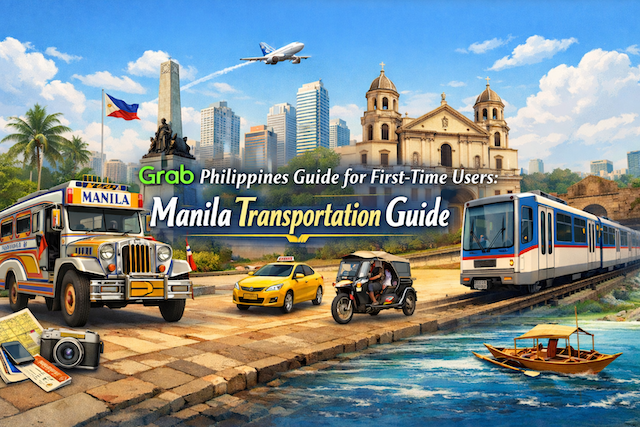
Grab Philippines Guide for First-Time Users: Manila Transportation Guide
Contents
- Grab Philippines Guide for First-Time Users: Manila Transportation Guide
- What Is Grab and How It Works in the Philippines
- Why Grab Is Popular in Manila
- Grab Services Available in Metro Manila
- How to Download and Set Up Grab for First-Time Users
- Payment Methods: Cash vs Cashless in Manila
- How to Book a Grab Ride Step by Step
- Choosing the Right Pickup Location in Manila
- Grab at NAIA Airport: What First-Time Users Should Know
- Understanding Grab Fares and Surge Pricing
- Common Grab Issues in Manila and How to Handle Them
- Safety Tips When Using Grab in Manila
- Grab vs Taxi in Manila: Which Is Better?
- Grab vs Public Transportation in Manila
- Grab Etiquette and Local Expectations
- Can Tourists Use Grab Without a Local SIM?
- Grab for Night Travel in Manila
- Final Thoughts: Is Grab Worth Using in Manila?
- Frequently Asked Questions (FAQs)
- Is Grab available everywhere in Metro Manila?
- Can tourists use Grab in the Philippines without a local SIM card?
- Is Grab safer than taking a regular taxi in Manila?
- Why does the Grab fare change so much in Manila?
- What should I do if a driver asks me to cancel the booking?
- Do I need to tip Grab drivers in Manila?
- What is the difference between GrabCar and GrabTaxi?
- How do I use Grab at NAIA (Manila airport)?
- What if my pickup point is confusing, like a mall or crowded street?
- What can I do if the driver’s route seems wrong?
Grab Philippines Guide for First-Time Users: Manila Transportation Guide
Grab is the most widely used ride-hailing and delivery app in the Philippines, and for many travelers, expats, and first-time visitors in Manila, it quickly becomes an essential daily tool. Compared to traditional taxis, Grab offers clearer pricing, better safety features, and far less language-related stress. However, using Grab in Manila comes with its own local rules, quirks, and best practices that first-time users should understand.
This complete guide explains how Grab works in the Philippines, how to book a ride step by step, common mistakes to avoid in Manila, pricing expectations, safety tips, and how Grab compares to taxis and public transportation.
What Is Grab and How It Works in the Philippines
Grab is a Southeast Asia–based super app that started as a ride-hailing service and later expanded into food delivery, courier services, digital payments, and more. In the Philippines, Grab effectively replaced Uber after Uber exited the market.
In Metro Manila, Grab is primarily used for:
-
Ride-hailing (GrabCar, GrabTaxi)
-
Food delivery (GrabFood)
-
Cashless payments (GrabPay)
-
Parcel delivery (GrabExpress)
For transportation, Grab functions as an app-based private car booking service where fares are shown upfront before you confirm your ride. This transparency is one of the main reasons it is preferred by tourists and newcomers.
Why Grab Is Popular in Manila
Manila traffic is notoriously heavy, road layouts can be confusing, and not all taxi drivers use meters properly. Grab solves many of these issues.
Key reasons people rely on Grab in Manila:
-
Fixed upfront pricing
-
GPS-based navigation
-
In-app driver tracking
-
Cashless payment options
-
English-friendly interface
-
Built-in safety features
For first-time visitors, Grab is often the easiest way to move around the city without needing local knowledge.
Grab Services Available in Metro Manila
GrabCar
GrabCar is the most commonly used service. You book a private car driven by a Grab-registered driver.
Typical vehicle types include:
-
Sedans (Toyota Vios, Honda City)
-
Compact SUVs
-
Occasionally larger vehicles during peak times
GrabCar prices are higher than regular taxis but generally more predictable.
GrabTaxi
GrabTaxi connects you with a regular taxi but allows you to book it through the app. The taxi still uses a meter, but Grab adds a booking fee.
This option is useful when:
-
GrabCar availability is low
-
You want a regulated taxi but still want app tracking
GrabCar Premium (Limited Availability)
In some areas, higher-end vehicles may be available. Availability fluctuates and is not guaranteed.
How to Download and Set Up Grab for First-Time Users
Step 1: Download the App
Grab is available on:
-
Apple App Store
-
Google Play Store
Search for “Grab” and download the official app.
Step 2: Register Your Account
You will need:
-
A mobile number (local SIM works best)
-
SMS verification
Tourists can register using an international number, but a Philippine SIM improves reliability and driver communication.
Step 3: Set Your Language and Location
The app automatically detects your location. English is the default language and works well throughout the app.
Payment Methods: Cash vs Cashless in Manila
Cash Payments
Cash is still widely accepted for Grab rides in Manila.
Important notes:
-
Always prepare small bills
-
Drivers may not have change for large denominations
-
Confirm cash payment before starting the ride
Cashless Payments
Grab accepts:
-
Credit cards
-
Debit cards
-
GrabPay wallet
Cashless payment is strongly recommended for first-time users because it eliminates payment disputes and speeds up drop-offs.
Some drivers prefer cash, but most accept cashless without issues.
How to Book a Grab Ride Step by Step
-
Open the Grab app
-
Select “Car” or “Taxi”
-
Enter your pickup location
-
Enter your destination
-
Review the estimated fare
-
Confirm booking
-
Wait for driver assignment
-
Track the car in real time
-
Meet the driver at the pickup point
Once matched, you can see:
-
Driver name and photo
-
Vehicle plate number
-
Estimated arrival time
Choosing the Right Pickup Location in Manila
Pickup location accuracy is crucial in Manila due to traffic and road restrictions.
Best practices:
-
Use mall entrances, hotel driveways, or designated pickup zones
-
Avoid busy intersections
-
If inside a mall, specify the exact entrance or parking area
-
Use landmarks in chat if needed
In airports, malls, and business districts, designated Grab pickup points are common and should be followed.
Grab at NAIA Airport: What First-Time Users Should Know
Grab is officially allowed at NAIA (Ninoy Aquino International Airport), but the process is more structured than in other areas.
Important tips:
-
Follow airport Grab pickup instructions
-
Confirm terminal number in the app
-
Expect longer waiting times during peak hours
-
Airport surcharges may apply
Using Grab from NAIA is safer and more predictable than negotiating with airport taxis.
Understanding Grab Fares and Surge Pricing
Grab uses dynamic pricing based on:
-
Distance
-
Time of day
-
Traffic conditions
-
Demand levels
Peak Hours in Manila
Expect higher fares during:
-
7:00–10:00 AM
-
5:00–9:00 PM
-
Fridays
-
Rainy weather
-
Holidays
If the fare seems high, waiting 10–15 minutes can sometimes reduce the price.
Common Grab Issues in Manila and How to Handle Them
Driver Asks You to Cancel
This happens when drivers want to avoid penalties or unfavorable routes.
What to do:
-
Politely decline
-
Ask the driver to cancel instead
-
Never cancel repeatedly, as it affects your account
Driver Requests Extra Payment
Drivers should not ask for extra fees beyond the app fare.
If it happens:
-
Decline politely
-
Document the chat
-
Report via the app
Long Wait Times
During rush hours, finding a driver can take time.
Solutions:
-
Move to a busier pickup point
-
Switch between GrabCar and GrabTaxi
-
Be flexible with pickup location
Safety Tips When Using Grab in Manila
Grab is generally safe, but basic precautions are still important.
Safety best practices:
-
Verify plate number before entering the car
-
Share trip status with a friend
-
Sit in the back seat
-
Avoid sharing personal details
-
Use in-app chat instead of personal messaging
Grab’s safety features include:
-
SOS emergency button
-
Ride tracking
-
Driver rating system
Grab vs Taxi in Manila: Which Is Better?
Grab Advantages
-
Fixed pricing
-
Cleaner vehicles
-
GPS tracking
-
Cashless payments
-
Less negotiation
Taxi Advantages
-
Easier to find on the street
-
Sometimes cheaper for short rides
For first-time users, Grab is almost always the safer and less stressful option.
Grab vs Public Transportation in Manila
Jeepneys, buses, and trains are cheaper but require local knowledge.
Grab is better if you:
-
Are new to the city
-
Carry luggage
-
Travel late at night
-
Want door-to-door service
Public transport is better if you:
-
Travel during non-peak hours
-
Know the routes
-
Want the lowest cost
Many residents use a combination of both.
Grab Etiquette and Local Expectations
Understanding local etiquette improves your experience.
Do:
-
Greet the driver politely
-
Be patient with traffic
-
Tip optionally (rounding up is common)
Avoid:
-
Slamming doors
-
Eating messy food in the car
-
Changing destinations mid-ride without asking
Can Tourists Use Grab Without a Local SIM?
Yes, but with limitations.
Without a local SIM:
-
App works on Wi-Fi
-
Driver calls may not connect
-
In-app chat becomes essential
A local prepaid SIM is highly recommended for smoother communication.
Grab for Night Travel in Manila
Grab is widely used at night and generally safer than hailing taxis on the street.
Night travel tips:
-
Stick to well-lit pickup areas
-
Share ride details
-
Avoid isolated drop-off points
-
Trust your instincts
Final Thoughts: Is Grab Worth Using in Manila?
For first-time visitors, Grab is one of the most practical transportation options in Manila. While it may cost more than public transport, the convenience, safety, and predictability make it well worth it—especially if you are unfamiliar with the city.
Understanding how Grab works locally helps you avoid common frustrations and ensures smoother, safer trips around Metro Manila. Whether you are commuting daily or just heading back to your hotel, Grab is a reliable tool that simplifies transportation in one of Southeast Asia’s busiest cities.
Frequently Asked Questions (FAQs)
Is Grab available everywhere in Metro Manila?
Grab is widely available across Metro Manila, including major business districts like Makati, Bonifacio Global City (BGC), Ortigas, Quezon City, Pasay, and Manila City. Coverage is generally strong in populated areas, near malls, hotels, airports, and transport hubs. However, availability can drop late at night, during heavy rain, or in outer suburban areas where fewer drivers are active. In some locations, you may still be able to book a ride, but waiting time can be longer and prices can rise due to demand-based pricing. If you are in a less busy neighborhood, walking to a main road, mall entrance, or well-known landmark can significantly improve your chances of getting matched with a driver quickly.
Can tourists use Grab in the Philippines without a local SIM card?
Yes, tourists can use Grab with an international phone number, but a local SIM card is strongly recommended for smoother communication. Many drivers prefer to call when they arrive, especially in crowded pickup areas like malls or busy streets. If your international number cannot receive local calls reliably, you may miss the driver and risk cancellation. You can still communicate using Grab’s in-app chat, but calls are often faster when directions are unclear. If you plan to stay more than a day or two, buying a prepaid Philippine SIM at the airport or a convenience store usually makes Grab much easier to use.
Is Grab safer than taking a regular taxi in Manila?
For many first-time visitors, Grab is often considered safer and more predictable than street taxis. Grab provides driver identity details, vehicle plate number, route tracking, and an in-app record of your trip. These features reduce common tourist issues such as meter disputes, unclear pricing, or difficulty identifying the vehicle later. That said, “safer” does not mean risk-free. You should still verify the plate number before entering, avoid sharing sensitive personal information, and sit in the back seat when traveling alone. Grab also includes safety tools such as ride sharing, emergency assistance features, and driver rating systems, which help improve accountability compared to anonymous street hailing.
Why does the Grab fare change so much in Manila?
Grab uses dynamic pricing, which means fares can rise or fall based on demand, traffic, driver supply, and time of day. In Manila, surge-like conditions are common during rush hours, payday weekends, major events, and heavy rain. Traffic also plays a big role because longer travel times increase the cost of providing the service. You may notice that the same route can cost significantly more at 6:00 PM than at 2:00 PM. If the fare looks unusually high, try waiting a few minutes, adjusting your pickup point to a less congested spot, or switching between GrabCar and GrabTaxi (if available) to compare options.
What should I do if a driver asks me to cancel the booking?
If a driver asks you to cancel, it is usually because they want to avoid penalties, dislike the route, or prefer another booking. As a passenger, canceling repeatedly can affect your account and may lead to temporary restrictions. A good practice is to politely refuse and ask the driver to cancel on their side if they cannot proceed. If the driver becomes pushy or tries to pressure you, avoid arguing and simply wait for them to cancel. If the situation repeats often, take a screenshot of the chat and report the incident through the app support options so Grab can review the behavior.
Do I need to tip Grab drivers in Manila?
Tipping is not required, but small tips are appreciated, especially when traffic is heavy or the driver provides good service. Many riders tip by rounding up the fare or giving a small amount of cash, such as 20 to 50 pesos, depending on distance and conditions. Grab also sometimes allows in-app tipping depending on the version and payment method. If you do not tip, it is generally not considered rude, particularly if you already paid a higher fare during peak pricing. A polite thank you and a good driver rating are also meaningful ways to show appreciation.
What is the difference between GrabCar and GrabTaxi?
GrabCar is a private ride-hailing service using registered vehicles that operate similarly to car services. The fare is usually shown upfront, and you typically experience more consistent vehicle quality. GrabTaxi connects you to a regular taxi booked through the app. The taxi usually uses a meter, and Grab adds a booking fee. GrabTaxi can be useful when GrabCar supply is low, but the overall experience may resemble traditional taxi rides more closely. For first-time visitors who want predictable pricing and fewer payment issues, GrabCar is often the simpler option.
How do I use Grab at NAIA (Manila airport)?
Grab operates at NAIA, but pickups can be more structured than in city locations. In many cases, you will need to follow terminal-specific pickup points or designated areas. When booking, confirm that your pickup location shows the correct terminal and exit area. Expect longer wait times during peak arrival waves, and be prepared for airport congestion. Some fares may include surcharges depending on the terminal rules and traffic conditions. If you are unsure where to stand, use the in-app chat to confirm the meeting point, and stay in well-lit, official pickup zones rather than accepting offers from unauthorized drivers inside the terminal area.
What if my pickup point is confusing, like a mall or crowded street?
Malls, hotels, and busy streets are common trouble spots because there may be multiple entrances, loading bays, and one-way traffic rules. The best strategy is to choose a specific, well-known entrance, such as “Main Entrance,” “Taxi Bay,” or “Drop-off Area,” and add a short message describing your exact position. If the mall has a designated ride-hailing pickup zone, use that to avoid delays and cancellations. In Manila, small changes—like walking 50 meters to a clearer pickup point—can drastically reduce confusion. Always check the live map and be ready to adjust if you see the driver stuck on the wrong side of a road divider.
What can I do if the driver’s route seems wrong?
Manila roads include flyovers, U-turn slots, and one-way systems that can make routes look strange even when they are correct. Before assuming a problem, check whether the driver is navigating around traffic or legal turning restrictions. If you are concerned, politely ask the driver if they are following the app route or if there is a faster alternative. Most drivers will explain that they are avoiding congestion or road closures. If you feel uncomfortable, you can share your ride status with a friend and monitor the map. After the trip, you can report route issues through the app if you believe the driver intentionally took an unreasonable detour.

How to Register for eTravel Philippines (2025 Guide)
Step-by-step guide to completing your eTravel registration before arriving in the Philippines, with images and tips.

Night Market in Cebu – Things You Don’t Know About Cebu Life
Discover the hidden charm of Cebu’s night markets, from street food stalls to local life tips you won’t find in tourist guides.
How to Use ChatGPT for IELTS Preparation: A Complete Guide
Learn how to prepare for IELTS using ChatGPT — including strategies for Writing, Reading, Listening, Speaking, and grammar support.

How to Build a Website Without Coding Using ChatGPT
Discover how to build your own website using AI—no coding skills needed. From structure planning to SEO and design, let ChatGPT guide you.